
Text to Song
Turn lyrics, a poem, or any text into a song.
Source
Source Text Type
Describe the sound here, or open a genre category below and choose + genre or a subgenre to add it.
Genre
Open a category, then select + genre or a subgenre to add it to Style of Music.
Mood
No vocals, pure instrumental
Listen to examples
20 shared trial credits · 30 days. Listening is free; official downloads require a pack or subscription. Trial terms
20 trial credits · 30 days · no check-ins. Two standard 10-credit music attempts if used only for music; other tools share this balance. Full listening is free; downloads and share videos need a pack or subscription. Eligibility rules apply.
Credits are returned automatically if a generation fails.
Turn Your Words Into a Song
Already have words? Paste your lyrics, poem, journal entry, or story — the AI sets them to music with vocals, melody, and full arrangement.
Paste Text, Hear It Sung
Paste Your Text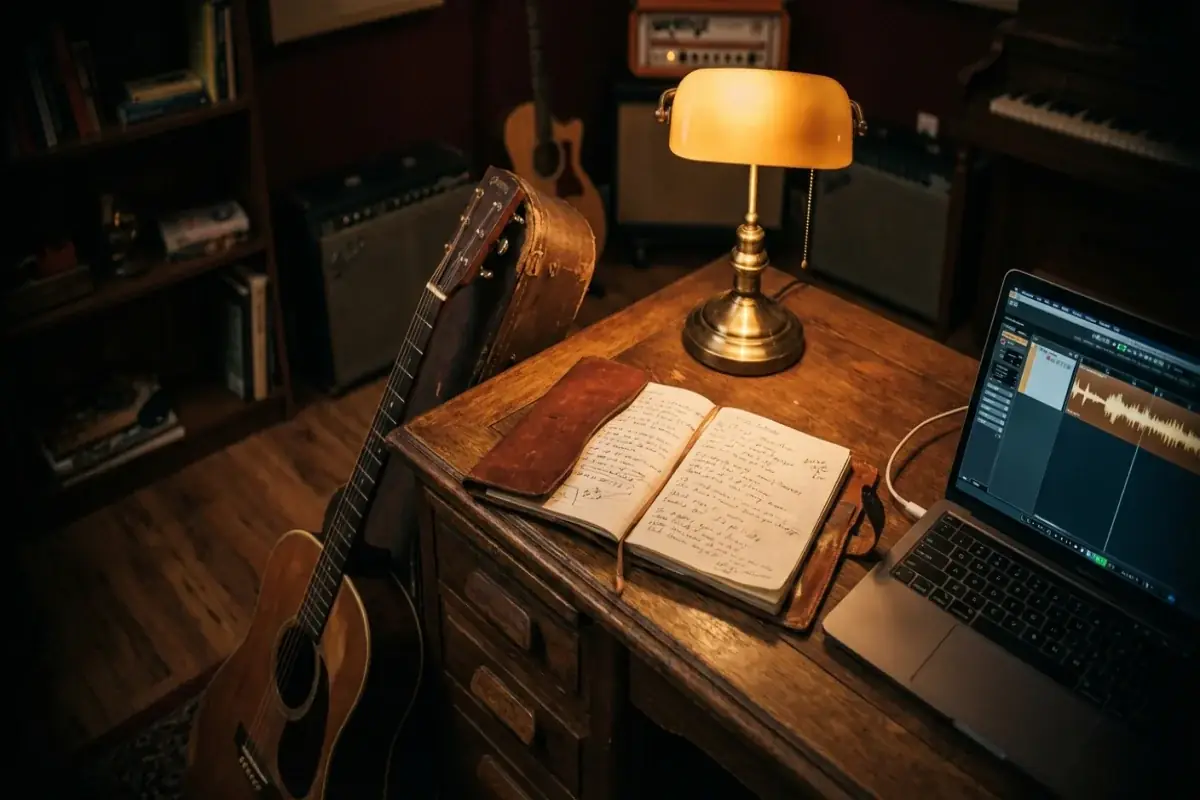
Your Words, Your Creative Direction
Start Creating
Two Takes on Your Text
Generate Song
What Is Text to Song?
Trial and audio downloads. New-policy accounts receive 20 trial credits valid for 30 days, with no check-in rewards. Use them for two standard 10-credit generations if you spend the whole balance on music. Audio downloads require a credit pack or subscription; existing accounts keep their original benefits. Fair-use eligibility rules apply. Buying a pack lets you download the same trial result without generating it again or spending extra credits on the download.
Text to Song is a workflow for turning written material — finished lyrics, draft lyrics, poems, journal entries, short stories, letters, or speeches — into a complete AI-generated song with melody, vocals, and full instrumental arrangement. You paste the source text, choose a genre and mood, optionally pick a vocal style, and the model returns two musical variations based on the same source text to compare.
- What you paste: Any 50–300 words of your own writing. The text you paste is the vocal material — add [Verse] / [Chorus] tags for structure, and trim or reorder prose before pasting.
- What you control: Genre, mood, vocal gender, source-text type, and the musical direction you type into the Style of Music field. In Custom mode the text you paste is sung as written, so wording is changed by editing the text before you paste it — not by a setting.
- What you get: Two song versions as audio files you can listen to in full (new-policy accounts need a credit pack or subscription to download), with the lyrics treatment, melody, instrumentation, and vocal performance produced together.
- Commercial-use boundary: The license to use your finished track in public, monetized, sponsored, or client work is governed by the GoAISong terms outlined in /license/commercial-use. It does not pre-clear third-party inputs, destination-platform rules, or rights-holder requirements.
Text to Song is the right entry point when your starting asset is already written. If you also want the AI to write the words for you, use AI Song Generator. If your priority is producing the lyrics themselves before any music, use AI Lyrics Generator.
Lyrics Into Song, Poem Into Song, Or Words Into Music?
The same text to song workflow covers several common search intents. If you are trying to put lyrics into song, make a poem into song, or simply ask "how do I turn my words into a song?", the important choice is how much you trim and restructure the text before you paste it.
| Starting Text | How To Prepare It | Style Of Music Direction |
|---|---|---|
| Finished lyrics | Paste as written, then add [Verse] and [Chorus] tags where the sections should fall | Choose genre, mood, and vocal style around the phrasing you already have |
| Poem or journal entry | Keep the strongest images, cut the rest down to 50–300 words, and mark the line you want repeated with [Chorus] | Reflective directions — folk, acoustic ballad, lo-fi — tend to fit |
| Letter, speech, or story | Trim to the lines that carry the message and rewrite them as singable lines before pasting | Name the emotional landing point, for example hopeful rather than corporate |
- Lyrics into song works best when the text already has rhythm or repeated phrases.
- Poem into song works best when you identify one line that should become the hook.
- Turn my words into a song usually means the source needs the most editing: cut, repeat, and reorder the lines yourself before pasting, since Custom mode sings them as written.
- Commercial-use boundaries still apply. Only use text you own or have permission to use, and check commercial-use scope before public or client work.
If your draft still needs major lyric writing before music, start with the AI lyrics generator. If your text is already meaningful enough to perform, this page is the cleaner path.
Turn a Poem Into a Song
To turn a poem into a song, make three decisions before you generate: which line should anchor the chorus, how the structure is marked in the text, and what musical direction fits the poem's tone. The steps below use the same Custom mode workflow described above.
- Pick the anchor line. Choose the single line or repeated phrase you want as the chorus hook. Poems rarely have a chorus; naming one gives the song a structural target instead of leaving the choice to chance.
- Paste the poem into the Custom mode lyrics field and set Source Text Type to "Poem". Keep the stanza breaks — they signal your intended pauses and groupings.
- Mark the structure in the text itself. In Custom mode your words are sung as written, so structure lives in the lyrics field: add [Chorus] above the anchor line and [Verse] above the stanzas — the same tags the lyrics field suggests. If the anchor line should return later, paste it again where you want it repeated.
- Give the Style of Music field a direction that matches the poem's tone. Reflective or nature poems tend to sit well with folk, acoustic-ballad, or lo-fi directions; defiant or celebratory poems can carry pop, rock, or hip hop energy. Aim at the poem's emotional landing point, not its subject matter.
- Generate, then compare both variations. Listen for how each take treats your anchor line. If neither lands the way you heard it in your head, adjust the text — move the [Chorus] tag, trim a stanza — and run it again; takes vary, and a second pass often gets closer.
The same steps work whether the poem is one you finished today or found in an old notebook — as long as the text is your own writing or you have permission to use it.
Poem to Song: What Changes and What Stays
A poem to song adaptation is a structural translation, not a recital over background music. In Custom mode the words you paste are the words that get sung, so most of the steering happens in how you prepare the text.
| Poem Element | Typical Song Role | How To Set It Up |
|---|---|---|
| Stanzas | Often become verses, usually in order | Paste the stanzas in the order you want them sung, with [Verse] tags between them |
| A repeated line or refrain | A natural chorus candidate | Add [Chorus] above the refrain, or paste it again wherever it should return |
| Meter and line length | Influences rhythm and phrasing | Shorter lines can be easier to phrase; a line break can suggest a breathing point |
| A striking image | Can carry the emotional peak | Give the image its own stanza where you want the peak — for example, before the final verse |
- Free verse leaves the melody more room than rhymed verse. Without a rhyme scheme the phrasing can shift more between takes — if the wording is precious, keep lines short and complete, and check both variations against the original text.
- Essays and journal entries usually need trimming first. An essay to song adaptation aims to keep the emotional core of the argument, not its paragraphs — cut the essay down to the 50–300 words that carry the feeling before you paste.
- Short poems can repeat; long poems need choices. A short poem may supply the entire lyric, while a long one works better when you paste the stanzas that matter most.
If the poem still needs word-level rework before it can carry a melody, draft the revision in the AI Lyrics Generator first, then bring the finished text back here.
Turn a Poem, Letter, Vow or Story Into a Song for Someone
Many people reach for text to song because the words are meant for one person: a poem for a partner, a letter to a parent, wedding vows, or a short story from a trip you took together. A text song made for someone follows the same Custom mode workflow as the rest of this page — the text you paste is sung as written — but a few choices matter more when a specific person will hear it.
- Keep the name and the detail only they would recognize. Because your words are sung as written, a name, a nickname, or a place that is in the text stays in the song. Put them in before you paste.
- Pick the closest Source Text Type. The control offers Lyrics, Poem, Story, Journal Entry, Letter, and Speech. Vows and toasts fit Speech; a note to a parent fits Letter.
- Trim to the lines you want sung. Aim for 50–300 words, and mark the line the person should remember with [Chorus].
- Compare both variations before you send it. Takes vary; if a key line is not landing, edit the text and generate again.
Three ways to prepare the text, with the Style of Music direction that tends to fit:
| Text For Someone | How To Prepare It | Source Text Type And Style Of Music Direction |
|---|---|---|
| Wedding vows | Keep each promise as its own verse and mark the line you most want repeated, such as "I choose you every day", with [Chorus] | Speech; a slow acoustic ballad with soft piano |
| A letter to a parent | Cut the letter to the three or four lines that carry the thanks, and put the line you most want them to hear under [Chorus] | Letter; warm folk with fingerpicked guitar |
| A poem for an anniversary | Paste the stanzas in order with [Verse] tags, and paste the refrain again where it should return | Poem; an intimate piano ballad |
If you would rather start from a name, an occasion, and a few memories and have the AI write the lyrics, use the personalized song generator instead. Text to song is for words that are already yours; the personalized generator builds the song gift from the details you give it.
Only paste text you wrote or have permission to use, and check the commercial-use scope before using the finished track in public, client, or monetized work.
How Text to Song AI Technology Works
Text to song turns plain text into a musical draft by treating your words as direction, not just raw copy. Scene, tone, and pacing guide how the song lands.
- Interpret the source text. The model reads for narrative arc, emotion, and singable phrasing. A poem, brief, diary entry, or ad hook each push the workflow differently.
- Follow the song structure you marked. The [Verse], [Chorus], and [Bridge] tags you place in the lyrics field tell the model where sections start, and repeated lines become repeated sections. That structural reading is what makes text to song more than text-to-speech with music underneath.
- Compose around the meaning. Melody, arrangement, tempo, and vocal delivery are chosen to match the text. Calm writing gets different phrasing and instrumentation than aggressive or celebratory copy.
- Return multiple usable variations. You get more than one take so you can compare energy and production feel before choosing the stronger direction.
The same workflow can turn a letter into a ballad, a script line into a hook, or rough copy into something performance-ready without forcing traditional lyrics first.
What Makes a Good Text to Song Prompt
Almost any text can become a song, but the strongest Style of Music directions combine a concrete situation, a clear emotional target, and enough production detail to place the song.
| Do | Avoid | Better Text To Song Prompt |
|---|---|---|
| Give the AI a scene with emotional context. | "Turn this into a song about nature." | "Turn this travel journal into a reflective folk song about a sunset after a long hike." |
| Describe the arrangement, not the wording. | "Make it catchy." | "Mid-tempo pop with a bright chorus lift, acoustic guitar, and light drums." |
| Name the emotional landing point. | "Make it better." | "Turn this speech into an uplifting anthem that feels hopeful instead of corporate." |
| Mark the structure in the lyrics field. | "Use my text somehow." | Mark that section with [Chorus] above ‘we made it through the dark’, and paste the line again wherever it should come back. |
- Edit for fidelity before you paste. Your words are sung as written, so a line that should change has to be changed in the text itself — the Style of Music field steers the music, not the wording.
- Compress long sources yourself. Essays, scripts, and journal entries usually need trimming to the 50–300 words that carry the feeling before you paste them.
- Use genre as a framing device. "Cinematic and epic," "intimate acoustic," or "dark rap delivery" changes staging fast.
- Iterate one variable at a time. Change tone, pacing, or structure instead of replacing the whole brief.
If you already know the words should remain lyrics-first, use the AI lyrics generator. Text to song is strongest when the source starts as text but still needs musical adaptation.
Creative Uses for Text to Song
Text to song is useful whenever the starting asset is already written, but not yet musical. It bridges writing workflows and music workflows without asking the user to become a songwriter first.
| Use Case | Why Text To Song Fits | What To Feed It |
|---|---|---|
| Creator intros and branded hooks | Turns recurring copy into original audio instead of stock music | Tagline, tone, audience, and one anchor line |
| Poems and personal writing | Lets writers hear their words performed without writing melody first | Poems, journal passages, letters, or reflective prose |
| Education and memory aids | Turns structured information into something easier to remember | Bullet facts, formulas, key dates, or learning scripts |
| Gifts and private messages | Converts inside jokes and stories into a more emotional format | Shared memories, names, locations, and what the song should feel like |
| Business and promo copy | Useful for jingles and launch hooks when speed matters | Slogan, product angle, audience, and desired energy level |
- Use text to song when your raw material is already written. It fits scripts, poems, notes, and brand copy.
- Use beat-only flows when the words do not matter. If you only need instrumental background music, the AI beat maker is the cleaner route.
- Use the song extender when the unfinished part is audio, not words. If a demo, riff, or beat stops too soon, extend the song you already recorded instead of rewriting it.
- Use lyrics-first when text quality matters more than production speed. If you need heavy word edits before music, draft them separately first.
You can start with text you already have and hear it translated into music without opening a DAW or rewriting from zero.
Text to Song Resources
Use these resources when you want to tighten the source text before generating, hear what finished output sounds like, or check the license boundary on the result.
- How to write song lyrics. Shape your text into verses and a chorus with a clear title line before turning it into a song.
- How to write AI music prompts. Apply the prompt structure to your source text — use case, genre, mood, vocal role, and clean endings.
- AI song prompts library. Copy prompt patterns when your source text needs additional framing for pop, folk, electronic, rap, or branded directions.
- AI song examples. Hear prompt-backed previews by genre to set expectations before turning your own text into a track.
- Commercial use scope. Check the license state before using the resulting track in public, monetized, client, sponsored, or promotional work.
How It Works
Paste Your Text
Paste lyrics, a poem, journal entry, story, or any text you want to hear as a song.
Set Genre & Mood
Pick a genre and mood to shape how your words sound. The AI matches melody and arrangement to your text.
Download Your Song
Get two song versions as audio files — different melodies, same words. New-policy accounts need a credit pack or subscription to download.
Ready to get started?
Create with Text to Song Generator NowExplore More AI Music Tools
AI Song Generator
Start from a description instead — describe any idea and get a full song.
Love Song Generator
Turn your story into a personalized love song for any occasion.
AI Lyrics Generator
Need lyrics first? Generate original song lyrics, then turn them into a song here.
AI Cover Song Generator
Transform your own or licensed audio into a new style.
Diss Track Generator
Drop AI diss tracks with real audio — bars, beat, and vocals.
AI Beat Maker
Generate professional beats and instrumentals with AI.
Questions People Ask About Turning Text Into a Song
Direct answers to what people ask before pasting their own writing into an AI music tool, including where the copyright line sits.
Will the AI change the words I paste in?
No. Text to Song runs in Custom mode, where your text is sung as written — the model does not rewrite, condense, or pad it. The editing is therefore yours to do before you paste: trim a long story down to the passage you want sung, and mark structure with [Verse] and [Chorus] tags so the right lines come back. Aim for roughly 50–300 words.
Can I turn the lyrics of an existing song into my own version?
No. Lyrics from a released song are someone else's copyrighted text, and the GoAISong license does not clear third-party material you bring to the tool. What works instead: describe the sound you are chasing in the Style of Music field and write your own words on the same theme. You get an original song in that direction rather than a version of the original.
Does text to song work in languages other than English?
Yes. Paste the text in the language you want sung — GoAISong generates songs in English, Spanish, Chinese, Japanese, Korean, French, Portuguese, and German, and the vocal delivery follows the language of your words. If a mixed-language text is read the wrong way, name the language you want in the Style of Music field and generate again.
Who owns a song made from text I wrote?
Your words stay yours — GoAISong does not claim ownership of the text you paste. For the generated recording, Creator and Studio add a commercial-use license under GoAISong terms with a PDF certificate for covered songs, while the Free tier stays personal and non-commercial. That license covers GoAISong output only, not third-party material inside your text or the policies of your publishing platform.
Can I pick the genre and the type of voice that sings my text?
Yes, within limits. The Style of Music field takes a free-text direction — folk ballad, lo-fi, cinematic, R&B — and genre and mood controls sit next to it. For the vocal you pick male, female, or instrumental, and that setting is a strong steer rather than a guarantee. GoAISong does not imitate a named artist's voice, so describe the style instead.
Text to Song Generator FAQ
Your Words Deserve to Be Heard
Paste lyrics, a poem, or any text — hear it as a real song.
Turn Text into Song